
- Posted on
- By Andrew C.
- In Printmaking
- Leave a comment
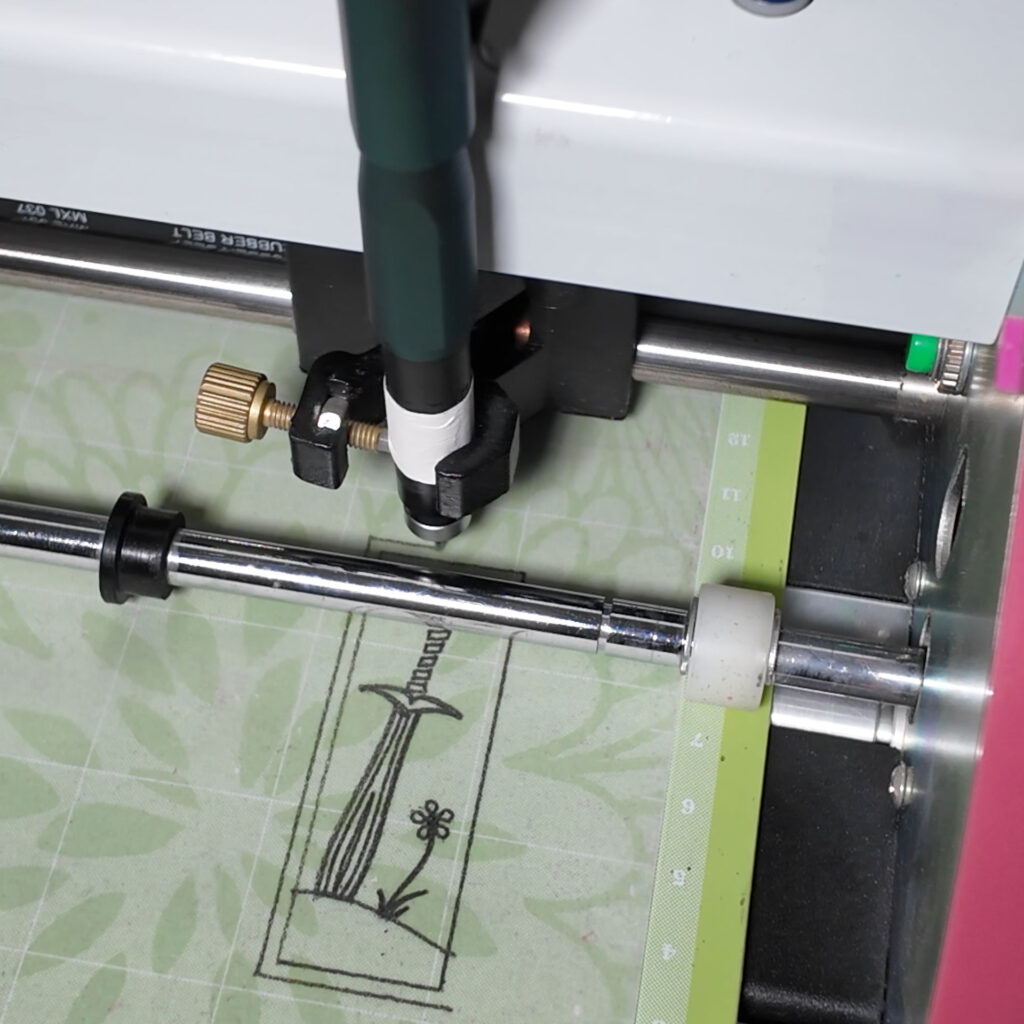
While talking about different ways to transfer designs to the substrate for lino (and eraser) carving, I had this kind of silly idea. One common way to transfer designs is to trace them in pencil, then rub the pencil drawing onto the carving surface. Because I don’t like the additional inaccuracy I add to the design when tracing, I mostly use other approaches. Since I am creating most of my art as vector images in Inkscape, I wondered if I could use a pencil in my Bosskut Gazelle plotting cutter to draw the design.
It worked with a pencil (a soft-lead Blackwing in this case), but the line width changes as the tip wears down. I was aware of a new mechanical pencil from Uniball in Japan called the Kuru Toga Dive that automatically advances the lead as it is used. They are kind of expensive, but this experiment was a great excuse to add one to my toolkit here. So, I got one (in purple, of course), along with some extra-soft 2B lead.
It worked great! This probably isn’t a practical approach for most people, unless one happens to have appropriate equipment on-hand already, and is creating vector images for their designs. Still, it was a fun experiment, and I won’t rule out actually using it in the future.
I put together a <2-minute video short showing the process of using the plotting cutter to make a design transfer.

No comment yet, add your voice below!